 Trusted by +1 Million customers | LIVE-DELIVERY

Cart is empty
 Our Brands































































































Hover on image to enlarge
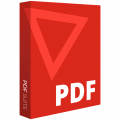
PDF Suite Standard
Special promotions! Take advantage of significant discounts on PDF (limited stock)
Purchase and Download PDF Suite Standard
After a successful purchase, you will immediately receive :
- An email that contains the PDF Suite Standard license activation key valid for one year (12 months) from the activation date.
- The download link for PDF Suite Standard
- The Installation and activation guides
- Ulicense.online offers you rapid and efficient after-sales service for any issue : Remote diagnosis, 7-day-a-week troubleshooting by reference technicians
Compatible with: 


The Benefits of Buying PDF Suite Standard from us
Guaranteed Authenticity
All our softwares are 100% authentic, directly from official manufacturers.
Warranty
Enjoy peace of mind with our during the product's validity warranty, far beyond the standard 30 days.
Free Installation
Enjoy a free installation service for a hassle-free setup.
24/7 Customer Support
Our dedicated team is available anytime to assist you.
Best Prices
Get the best prices : CAD60.99 instead of CAD89.99 and save! CAD29!
Description
Do You Require an All-Inclusive Tool for Producing and Editing Pdfs? You’re Now in the Right Location
If you only need to use the basic functions, such as creating or viewing PDF documents, then we suggest choosing the PDF Suite standard edition. With the aid of this application, managing your PDF documents should be simple. With PDF Suite Standard's straightforward interface, you can manage digital documents quickly!

To Satisfy Your Needs, the PDF Suite Standard Was Developed
You can make the most of your documents by using the user-friendly features of the well-known PDF editor PDF Suite. It can be used to open, edit, and display PDF documents. With PDF Suite, you can create PDF files with important data. Your document can be created from scratch or you can edit an existing one. One of PDF Suite's best features is the variety of options it offers for complete security. They provide superior defense. With straightforward controls and functions for adding and editing text, images, and humorous additions like notes, tampons, and drawings, PDF editing has also been made incredibly simple. Your first impression of PDF Suite Standard will be its user-friendly interface, which was designed in a manner that is both aesthetically pleasing and popular.
Visualize
Using PDF Suite Standard, you can perform a keyword search on the PDF file. Rotation, bookmarking, and presentation of the PDF document can all be altered. Other available options are zooming and navigating.
Create and Convert
Using this product's features, such as batch, RTF, and PDF/A conversion, you can convert to a variety of file types. In addition, you can create PDF files from existing files, the clipboard, and URLs. Using the conversion plug-in for Microsoft Office, a PDF document can be converted to Word format, and tables from a PDF document can be combined in Excel.
Tweak and Insert
You can insert, move, pivot, and resize images using the PDF Suite. Additionally, it enables you to manage layers by deciding whether content should appear on the front or back of the page, manage pages, find specific keywords with automatic replacement, and manage multiple layers. The resizing tool can be used to insert and edit hyperlinks as well as cut and copy multiple elements.
Reviews
No posts found