 Trusted by +1 Million customers | LIVE-DELIVERY

Cart is empty
 Our Brands







































Hover on image to enlarge
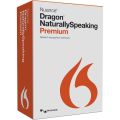
Nuance Dragon NaturallySpeaking 13 Premium

Delivery immediately via email
Technical Support
 Free
Free
Free
Activation Key
 Authentic Code
Authentic Code
Download
 Download Link
Download Link
Available Languages
 EN | FR | DE
EN | FR | DE
Platform(s)
 Windows
Windows
Available validities
 Lifetime
Lifetime
Country Zone(s)
 Worldwide
Worldwide
Version
 Full Version
Full Version


The Benefits of Buying Nuance Dragon NaturallySpeaking 13 Premium from us
Guaranteed Authenticity
All our softwares are 100% authentic, directly from official manufacturers.
Warranty
Enjoy peace of mind with our during the product's validity warranty, far beyond the standard 30 days.
Free Installation
Enjoy a free installation service for a hassle-free setup.
24/7 Customer Support
Our dedicated team is available anytime to assist you.
Best Prices
Get the best prices : CAD139.99!
Description
Nuance Dragon NaturallySpeaking 13 Premium Overview
- Advanced Voice Recognition: The latest and most advanced version of Nuance Dragon software.
- 14% More Accurate: Improved accuracy over its predecessor, even before user training.
- Built-in Microphone Support: Compatible with laptop microphones, eliminating the need for a headset.
- Decade of Development: Represents over 10 years of continuous improvement and innovation.
- Enhanced Versatility: Easier to use with more options for microphone input.
Key Features of Dragon NaturallySpeaking 13 Premium
14% Increased Accuracy
Dragon 13 is 14% more accurate than its previous version, enabling more precise voice recognition from the moment you start using it. This improvement reduces the need for corrections, making your work faster and more efficient.
Seamless Microphone Integration
The software supports a wide range of microphones, including built-in laptop microphones, Bluetooth devices, and Nuance-certified headsets. This flexibility allows you to choose the most convenient input method for your needs, whether you’re at home, in the office, or on the go.
Fast and Efficient Setup
Creating user profiles is quicker and easier with Dragon 13, thanks to its enhanced accuracy that minimizes the need for an extensive training process. This means you can start dictating almost immediately, without compromising on performance.
User-Friendly Interface
L'interfaccia ridisegnata di Dragon 13 lo rende più intuitivo e accessibile. Con menu e comandi semplificati, anche i nuovi utenti possono navigare e utilizzare con facilità le potenti funzionalità del software.
Enhanced Web Experience
Dragon 13 provides expanded control and command capabilities for popular web browsers like Internet Explorer, Chrome, and Firefox. You can dictate and edit text directly within web forms, emails, and other online content, streamlining your workflow and improving productivity.
Automatic Audio Configuration
The software automatically detects and configures the best available audio devices, ensuring optimal performance. This feature eliminates the guesswork involved in selecting the right microphone, enhancing the overall user experience.
Advanced Learning Capabilities
Dragon 13 continuously improves its accuracy by learning from your usage patterns. Features like "Learn from Sent Emails" allow the software to adapt to your specific vocabulary and writing style, making it more personalized and effective over time.
Multilingual Support
This version of Dragon NaturallySpeaking allows you to create profiles in multiple languages, including French and English. This is particularly beneficial for bilingual users who need to switch between languages effortlessly.
Why Should You Buy Nuance Dragon NaturallySpeaking 13 Premium?
Dictating and speaking your texts is generally much faster than typing. Nuance Dragon NaturallySpeaking 13 Premium is particularly useful if you frequently work with a computer and often need to write longer spoken texts. Unlike many other voice recognition programs, Dragon 13 does not require extensive training to achieve very good text recognition results.
- Speed and Efficiency: Speak your texts faster than typing, saving time.
- Ease of Use: No extensive training required for high accuracy.
- Cost-Effective Upgrade: Affordable upgrade options for existing users.
- Beginner-Friendly: Excellent for newcomers to voice recognition software.
- Versatile Application: Ideal for professionals and casual users alike.
What Can Nuance Dragon NaturallySpeaking 13 Premium Do?
Nuance Dragon NaturallySpeaking 13 Premium introduces several new features compared to its predecessors:
- Headset-Free Dictation: Use a Bluetooth microphone or the built-in microphone on your laptop instead of a headset.
- Enhanced Accuracy: The software automatically selects the best speech models for your PC.
- Voice Command Integration: Easily insert frequently used terms or phrases via voice command.
- Integrazione dei Comandi Vocali: Utilizzare un microfono Bluetooth o il microfono integrato nel laptop invece di un auricolare.
- Web Control: Draft emails and control web browsers, making internet navigation easier for visually impaired individuals.
- Personalized Settings: Tailor the software to your needs for greater efficiency and convenience.
System Requirements
- RAM : Minimum 4 GB
- Processor: Intel® Dual Core or equivalent AMD processor. Faster processors offer better performance.
- Free Disk Space: 8 GB
- Supported Operating Systems: Windows 7, 8.1, 10 (32-bit and 64-bit), Windows Server 2008 R2 and 2012 R2
- Browser:Internet Explorer 11 or later, or the latest version of Chrome or Firefox
- Sound Card: 16-bit recording
- Microphone: Built-in or Nuance-certified microphone.
- Internet Connection: Required for product download, activation (a short and anonymous process), and online help access.
How to Purchase, Download, and Activate
How to Purchase
You can purchase Nuance Dragon NaturallySpeaking 13 Premium from our official website ulicense.online. Simply add the product to your cart, proceed to checkout, and complete the payment process.
How to Download
Once your purchase is confirmed, you will receive an email with a download link. Click on the link to download the installation file to your computer.
How to Activate
After downloading and installing the software, open Dragon NaturallySpeaking 13 Premium. You will be prompted to enter your activation key, which you will find in the confirmation email. Follow the on-screen instructions to complete the activation process.
Frequently Asked Questions about Nuance Dragon NaturallySpeaking 13 Premium
-
What are the supported languages?
Nuance Dragon NaturallySpeaking 13 Premium supports French, English, and German for dictation.
-
Do I need an internet connection to use Dragon?
An internet connection is required for product download, activation, and accessing online help, but the software itself does not require an internet connection to function.
-
Is the software compatible with Bluetooth microphones?
Yes, Dragon NaturallySpeaking 13 Premium is compatible with Bluetooth microphones as well as built-in laptop microphones.
-
Can Dragon NaturallySpeaking be used for professional purposes?
Absolutely. Dragon NaturallySpeaking 13 Premium is suitable for professionals such as doctors, lawyers, and journalists, who need to transcribe spoken text quickly and accurately.
Reviews
No posts found