 Trusted by +1 Million customers | LIVE-DELIVERY

Cart is empty
 Our Brands





























































































Hover on image to enlarge
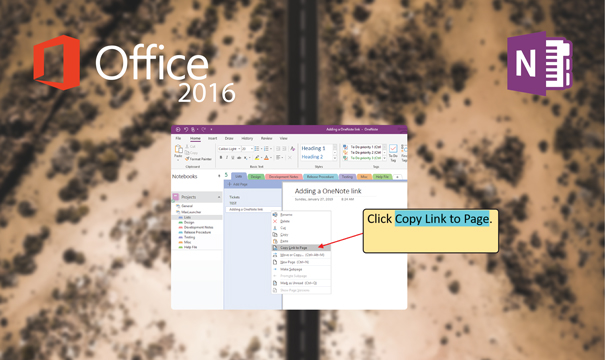
OneNote 2016
Special promotions! Take advantage of significant discounts on OneNote (limited stock)
Obtain OneNote 2016 for the best price in the market!
After you successfully purchase your product, you will immediately receive:
- A Lifetime activation key for your OneNote 2016
- The download link of the full version of OneNote 2016 in the 32/64 bit version
- A Step-by-Step guide to help you activate your Product
Note: The license is valid only for PC and has no time limit.
click here to order a license for Mac.


The Benefits of Buying OneNote 2016 from us
Guaranteed Authenticity
All our softwares are 100% authentic, directly from official manufacturers.
Warranty
Enjoy peace of mind with our during the product's validity warranty, far beyond the standard 30 days.
Free Installation
Enjoy a free installation service for a hassle-free setup.
24/7 Customer Support
Our dedicated team is available anytime to assist you.
Best Prices
Get the best prices : CAD59.99 instead of CAD79.99 and save! CAD20!
Description
Download and activate OneNote 2016 at the best price in the market!
OneNote 2016 is a virtual diary that enables you to write down your ideas, add images, and organize your tasks. OneNote 2016 is an easily adaptable and highly customizable annotation program that goes beyond pen and paper. It offers many ways to organize, share, and protect the content stored on it. Download it from our website Ulicense.Online now!
Install and activate OneNote 2016 and discover the extraordinary built-in tools
Microsoft Office OneNote 2016 is an excellent Microsoft note-taking service, available for a large number of devices on different platforms. Microsoft Office OneNote 2016 is used for Windows. Microsoft Office OneNote 2016 has an important amount of tools that let you create very deep, quality, and useful notes, allowing you to work with your notes and information.
Save your notes
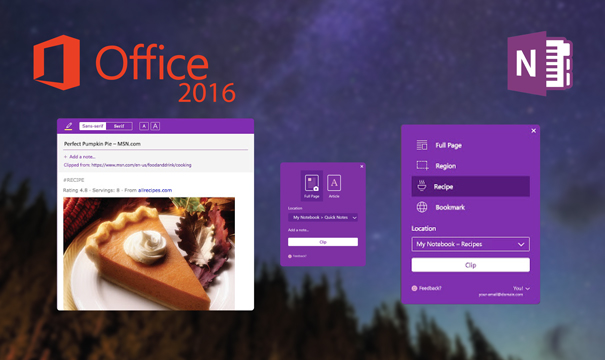
Microsoft Office OneNote 2016 offers you various features to facilitate your tasks including the OneNote Web Clipper 2016 application. This application lets you capture images, PDF files, videos, and bookmarks from a page and save them below for future access, even offline.
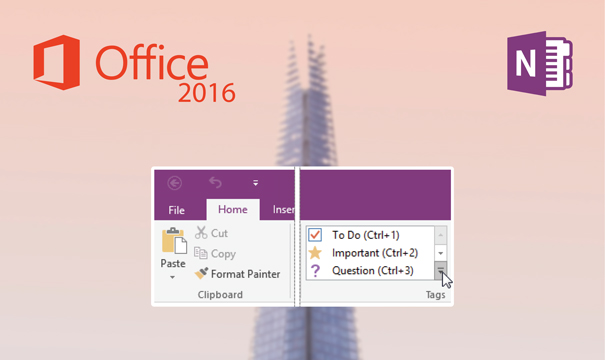
Insert custom tags
Thanks to Microsoft Office OneNote 2016 you can quickly access your important appointments and filter the notes you want to share with your colleagues following a very simple process. To activate this feature you have to put your cursor at the beginning of the text you want to tag after a click on start > Tags now, after that click on the icon of the tag you want to apply.
Add files to the cloud
Microsoft Office OneNote 2016 allows you to take advantage of its features and benefit from OneNote 2016 advancements to insert photos and spreadsheets into Excel 2016. Microsoft Office OneNote 2016 allows you to create files and content that can be shared in the cloud.